 Talkalo
Start with your own voice
Read a short passage and review the recording before submitting it for processing.
Create an AI voice from a short recording of yourself, then use it to speak supported translations with a more familiar sound.
Explore the walkthrough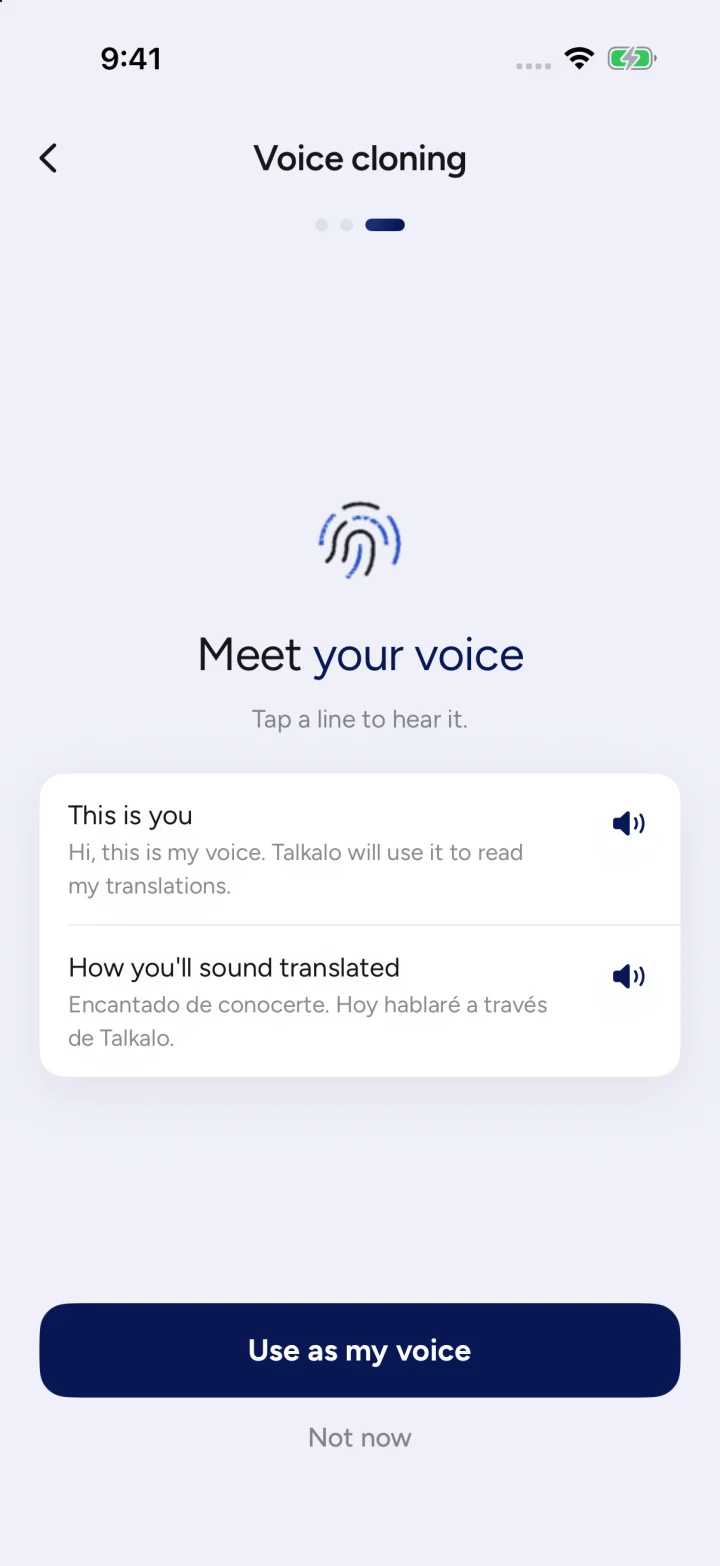
Read a short passage and review the recording before submitting it for processing.
Preview your voice in supported languages, then enable it for supported translation modes.
Switch back to a standard voice or request deletion of your AI voice from the app.
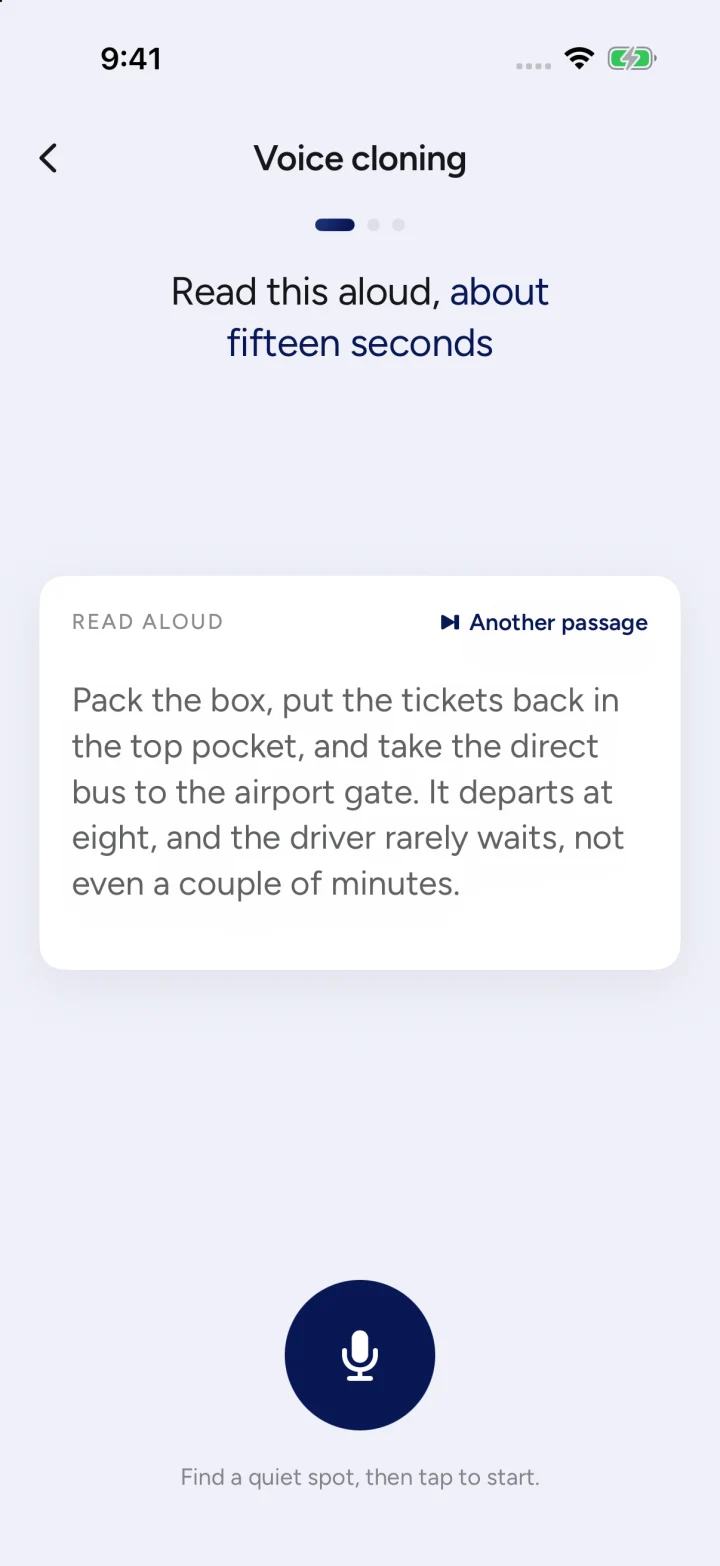
The voice sample is sent to the speech provider for processing. Talkalo stores task and authorization information; the provider maintains the generated voice.
Yes. You can disable it or request deletion. Offline requests are retried when connectivity returns; provider cleanup can complete later.
Your selected voice can speak your translated words in supported phone calls, link calls and face-to-face conversations. Available languages and modes are shown in the app.