 Talkalo
An invitation that travels
Share a Talkalo call link through the messaging app you already use.
Translate a one-to-one video or voice call in real time with Talkalo. Both participants can hear translated speech and read bilingual captions; the guest opens your invitation in a supported browser without installing an app.
Explore the walkthroughDevices, cost and setup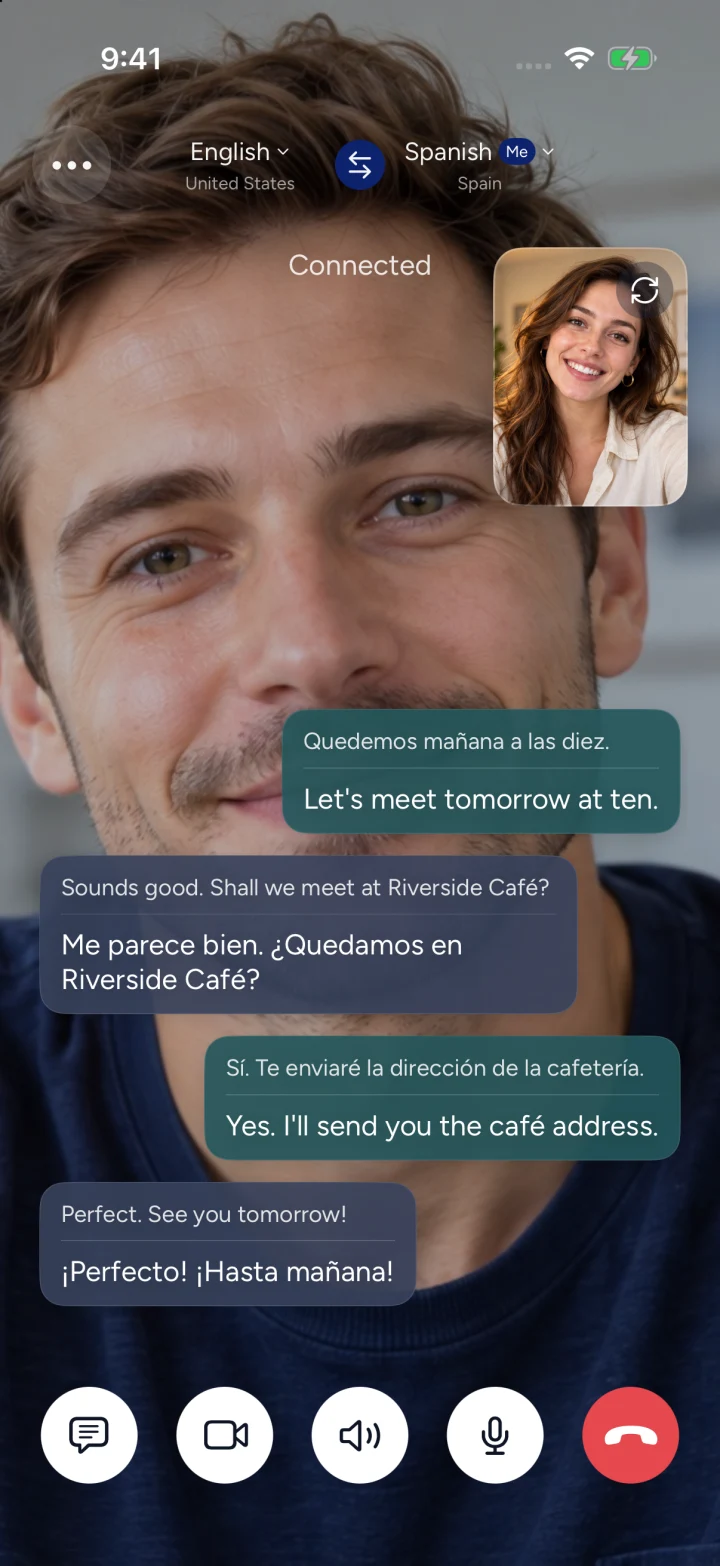
Quedemos mañana a las diez.
Let's meet tomorrow at ten.
Share a Talkalo call link through the messaging app you already use.
Follow translated speech and bilingual captions during your conversation.
Your guest joins through the call page and grants microphone access, plus camera access for video.
Talkalo provides one-to-one video call translation with spoken translation in both directions and bilingual captions for both participants. The host starts a call in the iPhone app; the other person opens an invitation in a supported browser without installing Talkalo. Choose Chinese, English or another available language for each speaker.
In Talkalo, choose a video call, set each speaker’s language and confirm that AI translation is on. You can also choose a voice-only call.
Send the call link through a messenger or another sharing channel. The invitation starts a separate Talkalo call.
The guest opens the browser page, checks their language and grants microphone and camera permission. Complete host admission when required, then take turns speaking and follow the translated audio and captions.
Chinese–English: share a video invitation with an overseas friend or family member and follow both languages in the captions.
Use a video link when both people can go online and open an invitation. Use phone translation when you need to dial their regular number.
Example situations, not customer testimonials. Take turns speaking and confirm important details; translation can make mistakes.
Need to dial a mobile or landline number? Explore phone call translation.Read the full credits and Pro guide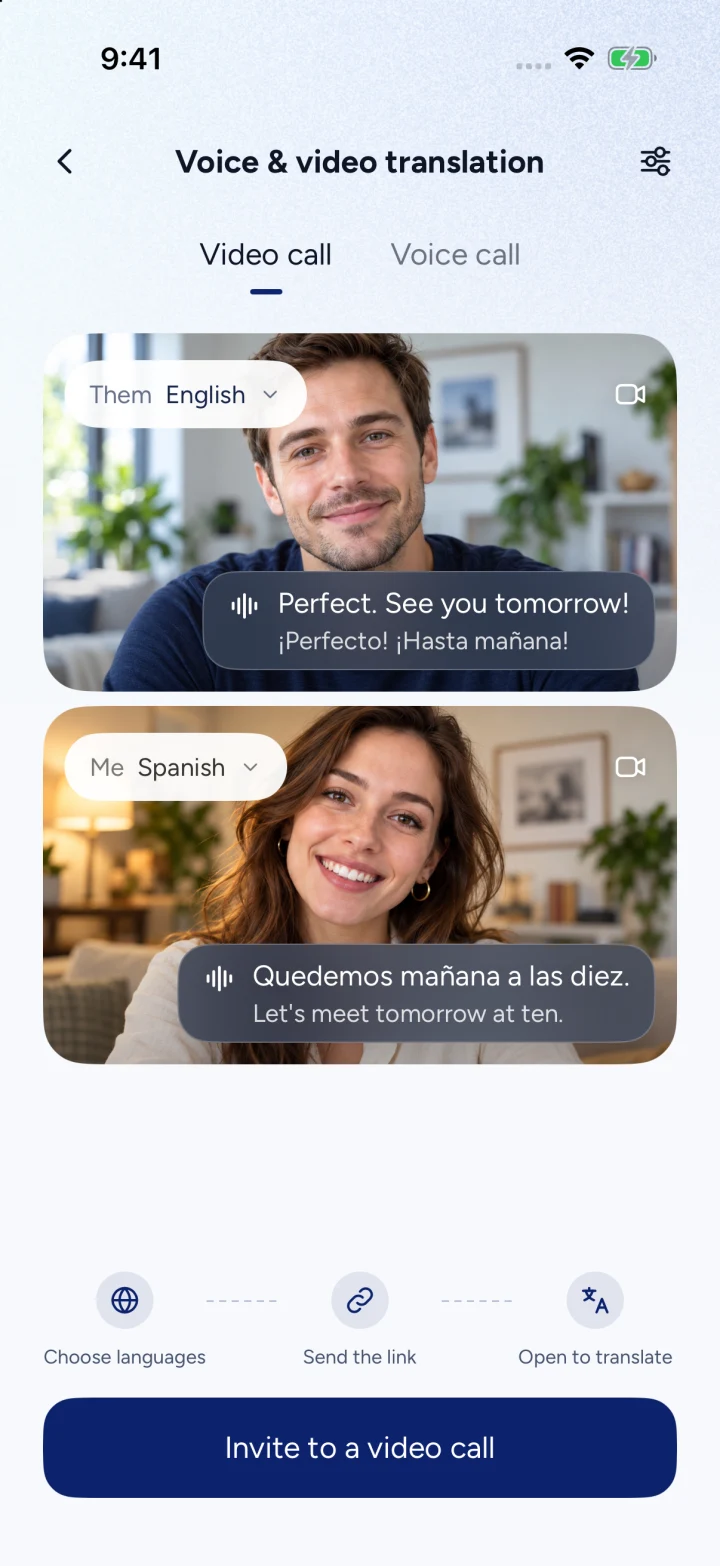
Yes. Talkalo supports spoken translation in both directions and original-plus-translated captions for both participants. Enable AI translation and choose each speaker’s language before starting.
Yes. Chinese and English are among the available link-call languages. Choose Chinese for one speaker and English for the other, or select another available pair. Language support does not guarantee service availability in every country or network.
The guest joins through an invitation in a supported browser without installing Talkalo or registering a Talkalo account. Link validity, internet access, permissions and host admission still apply.
No. You can share the invitation through a messenger, but it starts a separate Talkalo call. It does not take over or translate a video call already running in another app.
The host uses credits for the time both people are connected. The guest does not need a Talkalo subscription or credit purchase. The host can use a remaining usable balance without an active Pro subscription; only Pro subscribers can buy additional credit packs. Rates and balances are shown in the app.
This flow is for two people, not a group meeting. Both need an internet connection and microphone access, plus camera access for video. Translation is not offline and may involve delay or recognition errors.
Yes. Voice calls do not require a camera, and video calls include camera and microphone controls.